
-
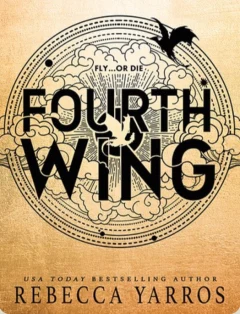 Fourth Wing Club4 readers
- Inèschapter 31
- Youchapter 14
- Samchapter 6
- 5 messages past your chapterunlock when you get there
An online book club, spoiler-free.
The same book as your friends, each at your own pace.
Invite to the club
- Léa@lea.lit
- Sam@sam.pages
- Inès@ines.lit
Invite your friends in one tap.
And for anyone who doesn't have Cozzy yet, send the club link.
How to start an online book club
- Create the club. In Cozzy, open Friends, then Clubs. Give it a name, pick the book and, if you like, its number of chapters.
- Invite your friends. Tick your Cozzy friends: they get the invite right in the app. For everyone else, send the club link by message; it opens Cozzy, or offers to install it. The six-character code is there as a backup.
- Read at your own pace. Log your chapter or your page: the whole club sees where everyone is, without giving away a thing about the story.
- Talk about it at the right moment. Every message is filed under the chapter it's about. Your friends read it when they get there, and can react to it.
Why a spoiler-free book club changes everything
In a group chat or a classic book club, you either wait until everyone has finished, or you stay quiet. The one who devours the book in a weekend doesn't dare say a word, and the one who reads ten pages a night ends up stumbling onto the ending.
On Cozzy, you only see what you've already read. Messages written further ahead stay hidden until you reach their chapter. You can react in the moment at chapter 12 without ruining anyone's read, and if you still want to peek ahead, that's your call.
Who is it for?
- Friends who live far apart and want to read the same novel together, without syncing schedules.
- Book clubs that meet once a month and want to keep the conversation going between meetups.
- BookTok and Bookstagram buddy reads, where everyone reads at their own speed.
- Reading duos: couples, sisters, coworkers, finally reading the same book at the same time.
Four ideas to keep your club alive
- Pick a book that's easy to find, in paperback or ebook, so nobody gets left out.
- Set the number of chapters when you create the club: everyone sees at a glance where the others are.
- Kick off the conversation with a question about the first chapter; it's often what makes people want to keep going.
- Pick the next book together once you've hit the last chapter, and share your "Just finished" card to your story.
Your questions about clubs
Is the online book club free?
Yes. Cozzy is free on iPhone, with no ads, and creating a club costs nothing.
How do I invite someone to my club?
In your club, open the ⋯ menu, then Invite to the club. Tick your Cozzy friends to send them the invite in the app, or tap Send the link to share it by message with anyone.
Do my friends need Cozzy?
Yes, everyone needs Cozzy on iPhone to join the club. The club link sends anyone who doesn't have it yet to the App Store, then brings them straight into the club.
How do you avoid spoilers in a book club?
On Cozzy, every message is filed under the chapter it's about. You only see what you've already read; messages further ahead stay hidden until you get there, unless you choose to open them.
Can I be in several clubs at once?
Yes. Each club is built around one book: start one for every buddy read.
What if a message is a problem?
Long-press the message to report it, or delete it if it's yours. You can also block an account.
Is Cozzy on Android?
For now, Cozzy is only available on iPhone.